Software
CADWorx
Spec-driven 3D plant and piping design with automatic isometrics.
Quick answer
Structural Engineering Services supports CADWorx projects worldwide with cadworx 3d piping modeling, piping isometric drawings, piping layout & routing, piping spool fabrication drawings — delivered by senior engineers on licensed software to international codes.
- Publisher
- Hexagon
- Discipline
- Spec-driven 3D plant & piping design
- Licensing
- Commercial seats, in-house only
Capability at a glance
Our CADWorx bench strength
Every figure below is what we run in production — licensed seats, supported versions and the scale we deliver at, so you can size us against your package before you enquire.
8
Licensed seats
CADWorx Plant Professional with Equipment and Steel
2019–2024
Versions supported
Matched to your AutoCAD and spec library version
3,000 lines
Largest plant model
Multi-area model split by unit and discipline
150 / wk
Isometric output
Generated, checked and issued per week at peak
100%
Spec-driven components
No off-spec fittings reach the MTO
Deliverables
What we produce in CADWorx
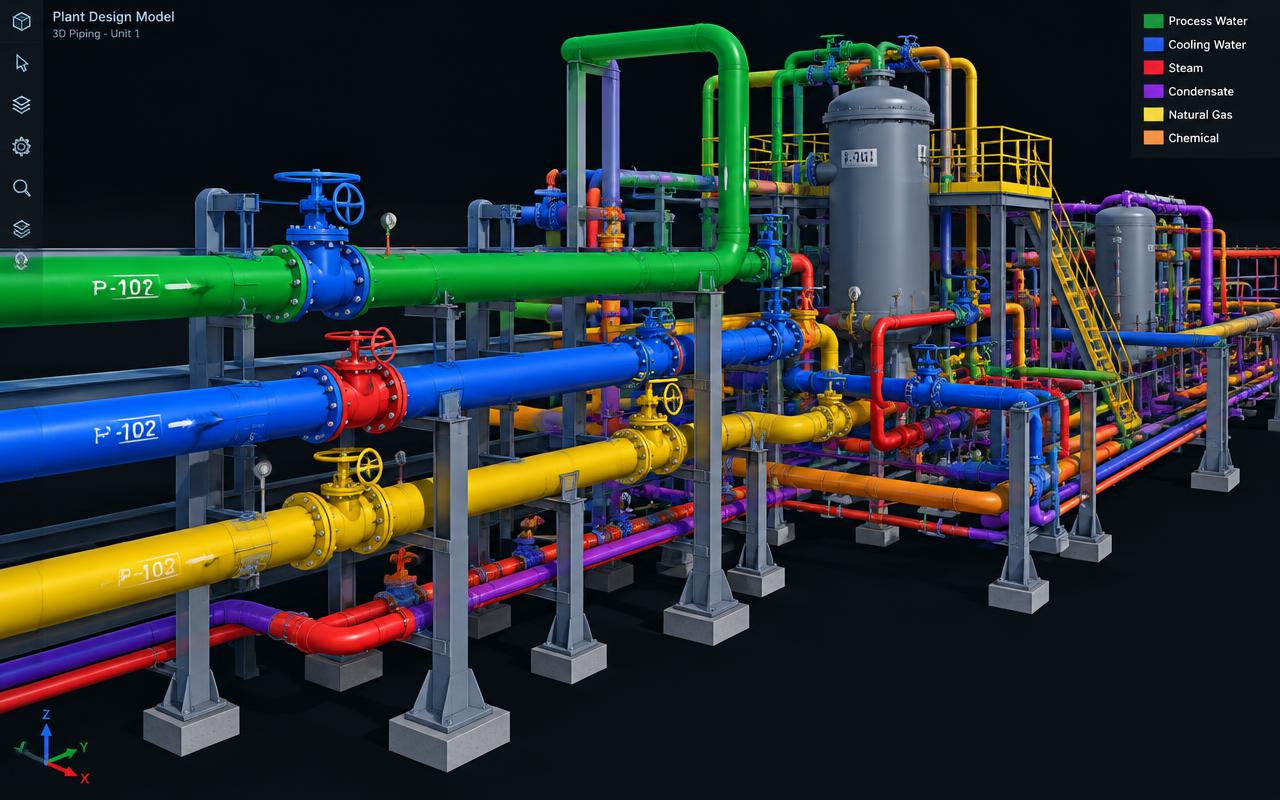
Spec-driven modelling means the model knows what it is made of. Pick a line number and the wall thickness, rating, material and bolt set come with it — so isometrics and MTOs are generated, not drafted.
Scope your deliverablesSpec-driven 3D piping model
Every component placed from the project piping class, so the model carries rating, schedule, material and end preparation throughout.
Automatic ISOGEN isometrics
Fabrication and erection isometrics generated from the model with field welds, spool breaks, bolt lists and a material take-off on every sheet.
Piping GAs, plans & sections
Plot plans, equipment layouts, plan and section drawings with elevations, tie-in points and nozzle orientation marked.
Clash-free coordinated model
Checked against steel, equipment, civil and electrical models in Navisworks, with access, maintenance and insulation envelopes respected.
MTO & line schedules
Material take-off by line, area and spec straight from the model, plus line list, valve list and tie-in schedules exported to Excel.
Stress & support hand-off
PCF exports to CAESAR II on every critical line, with support locations fed back into the model once the stress run settles.
Interoperability
CADWorx file formats we work with
CADWorx runs on AutoCAD, so it talks to everything on site — and its PCF output is what makes the stress and isometric workflow automatic rather than manual.
| Format | Direction | How we use it |
|---|---|---|
| PCF | We deliver | Line-by-line export driving ISOGEN isometrics and the CAESAR II stress model from one source of truth. |
| DWG / DXF | Both ways | P&IDs, plot plans and vendor drawings in; model drawings, GAs and isometrics out in native AutoCAD. |
| NWC / NWD | We deliver | Published to Navisworks for federated clash detection and construction review. |
| Point cloud (RCP / RCS) | We import | Laser-scan data for brownfield tie-ins, so new routing fits the plant that actually exists. |
| STEP / equipment models | We import | Vendor pumps, exchangers and packages placed as real geometry with correct nozzle locations. |
| Excel / CSV | Both ways | Line lists in to drive modelling; MTO, valve and tie-in schedules out for procurement. |
| IFC | Both ways | Exchange with structural and building models where the project runs an open-BIM workflow. |
Working in a format that is not listed? Send a sample file with your enquiry — we confirm every exchange route before kick-off rather than discovering it at issue.
How we work
Our CADWorx workflow
Our process is built around catching problems before they reach your reviewer, so the checking stages are fixed, not optional.
- 1
P&ID & plot plan review
Line numbers, specs, insulation, slope and criticality extracted from the P&IDs and reconciled against the plot plan before modelling.
- 2
Spec & catalogue setup
Piping classes built or validated in the Spec Editor so every component placed is a procurable item, not a generic fitting.
- 3
Equipment & nozzle placement
Vendor equipment positioned to the plot plan with verified nozzle orientation, maintenance access and dropout areas.
- 4
Routing by line number
Lines routed for process requirement, supportability, flexibility and operability — valves reachable, instruments readable, drains at low points.
- 5
Clash & constructability review
Quality gateNavisworks clash cycle against steel, civil, HVAC and electrical, plus a walk-through for access, lifting and maintenance.
- 6
Stress loop
PCF to CAESAR II for critical lines; supports, loops and anchor positions fed back into the model and re-checked.
- 7
Isometrics, MTO & issue
ISOGEN isometrics generated, checked sheet by sheet, and issued with the MTO, line list and coordination model.
One stage is a formal quality gate — work does not move forward until a senior engineer signs it off, which is why revisions after issue stay rare.
Choosing a platform
When CADWorx is the right choice
The right software is the one that produces your deliverable with the least rework downstream. This is the call we would make on your scope.
Choose CADWorx when
- Process plant piping where a piping class library has to govern every component placed.
- Isometrics and MTOs are needed in volume and must regenerate cleanly after every model revision.
- The team already works in AutoCAD and wants plant intelligence without a new platform and database to administer.
- Stress analysis is in scope and you want the CAESAR II model built from the same geometry as the isometrics.
We would use something else when
Still unsure? Send the drawings and the deliverable you need — we will tell you which platform we would run it on, and why, before quoting.
Relevant services
Our CADWorx services
CADWorx 3D Piping Modeling
Producing intelligent spec-driven CADWorx piping models for plants and skids.
Explore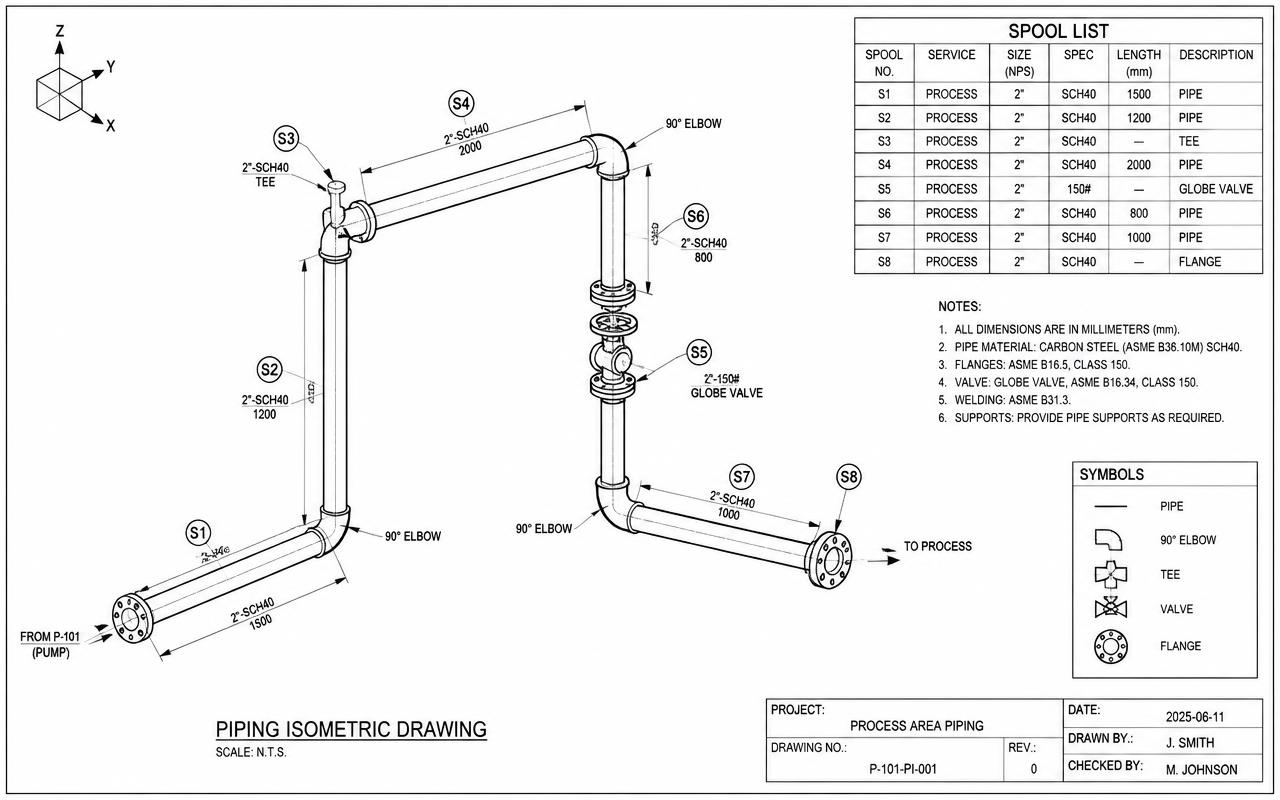
Piping Isometric Drawings
Generating dimensioned piping isometrics with weld, spool and material information.
Explore
Piping Layout & Routing
Optimising plot plans, equipment layout and pipe routing for safety, access and cost.
ExplorePiping Spool Fabrication Drawings
Splitting systems into fabrication spools with cut lengths and weld maps.
ExploreDirectory
CADWorx work by market
Pick the market your project is built in. Every page sets out the governing codes, units and delivery window we work to there.
8 markets
Most requested markets
8
- CADWorx 3D Piping Modeling in USA
- CADWorx 3D Piping Modeling in United Kingdom
- CADWorx 3D Piping Modeling in UAE
- CADWorx 3D Piping Modeling in Saudi Arabia
- CADWorx 3D Piping Modeling in Australia
- CADWorx 3D Piping Modeling in Canada
- CADWorx 3D Piping Modeling in Singapore
- CADWorx 3D Piping Modeling in India
Start your project
Send your drawings. Get a quote in 24 hours.
Free, no-obligation proposal from a senior engineer.